
External SSD: The Ultimate Guide to Fast, Secure, and Portable Storage
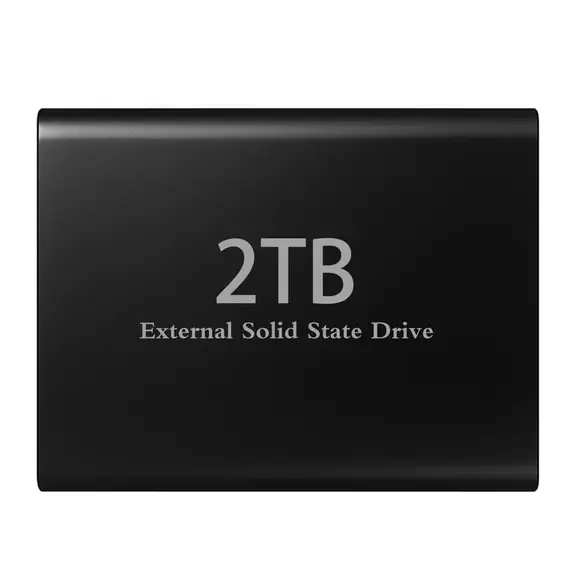
In today’s digital world, storing and managing data has become more important than ever. Whether you are a student, professional, content creator, gamer, or business owner, you need a reliable way to keep your files safe and accessible. An External SSD (Solid State Drive) is an excellent solution for anyone looking for fast data transfer, portable storage, and dependable performance.
Unlike traditional external hard drives, external SSDs use flash memory to store data without moving mechanical parts. This technology allows them to deliver faster performance, better resistance to everyday movement, and a compact design that makes carrying your important files easier.
What Is an External SSD?
An external SSD is a portable storage device that connects to your computer, laptop, or other compatible device through a USB connection or another supported interface. It allows you to store documents, photos, videos, games, software, and large project files outside your computer’s internal storage.
External SSDs are available in different storage capacities, including 250GB, 500GB, 1TB, 2TB, and larger options. This variety makes it easier to choose a device according to your storage requirements and budget.
Whether you need extra space for office documents or a high-speed drive for large video projects, an external SSD offers a convenient way to manage your digital files.
Why Choose an External SSD Over a Traditional Hard Drive?
When comparing external SSDs with traditional external hard disk drives (HDDs), speed and portability are two major differences.
1. Faster Data Transfer Speeds
One of the biggest advantages of an external SSD is its fast read and write performance. Depending on the model and connection interface, an SSD can transfer large files significantly faster than a traditional HDD.
This is especially useful when transferring high-resolution videos, backing up large folders, or moving gaming files between compatible systems. USB 3.2 and USB4 models can offer impressive performance, although actual speeds depend on the drive, port, cable, and connected device.
2. Compact and Portable Design
External SSDs are designed for convenience. Many models are small and lightweight enough to fit into a pocket, laptop bag, or backpack.
Students can carry assignments and study materials, professionals can transport business files, and photographers can keep their projects accessible while travelling. Their portable design makes them a practical choice for people who work across multiple locations.
3. Better Resistance to Physical Shocks
Traditional HDDs contain moving mechanical components, while SSDs use flash memory. As a result, external SSDs generally handle everyday movement and accidental bumps better than HDDs.
Some models also feature rugged enclosures, water resistance, or dust protection. However, these protections vary by product, so check the manufacturer's specifications before using a drive in demanding environments.
4. Quiet and Efficient Operation
Because external SSDs do not use spinning disks, they operate silently. They can also consume less power than many traditional external HDDs, depending on the model and workload.
These features make external SSDs suitable for working in libraries, offices, classrooms, studios, and other environments where quiet operation matters.
Best Uses of an External SSD
An external SSD is more than just additional storage. It can support a wide range of everyday activities.
For students: Keep assignments, presentations, research files, and educational resources organised in one portable location.
For professionals: Store reports, spreadsheets, client documents, and important work files for convenient access across compatible computers.
For gamers: Store and transfer game files, screenshots, recordings, and other gaming content. Game installation and loading performance depend on the game, console or PC, and connection interface.
For content creators: Transfer large video files, high-resolution images, audio recordings, and editing projects more efficiently.
For businesses: Maintain additional storage for documents, project archives, and routine backup copies. Important business data should also be backed up to a separate location.
How to Choose the Right External SSD
Before purchasing an external SSD, consider the following factors to find the right option for your needs.
Storage Capacity
Choose a capacity that matches the amount of data you regularly handle. A 500GB SSD may suit everyday documents and moderate file storage, while 1TB or 2TB models are useful for larger photo libraries, videos, and gaming files. Professionals working with extensive video projects may benefit from higher capacities.
Transfer Speed
Check the advertised read and write speeds, along with the interface supported by the drive. Remember that a fast SSD cannot reach its full potential if your computer's port or cable limits its performance.
Compatibility
Make sure the SSD works with your intended device, operating system, and file system. Some drives may require formatting before use with particular computers, smartphones, or gaming consoles.
Build Quality and Security
Look for a durable design and, if necessary, features such as hardware encryption or password protection. If you travel frequently, a rugged model may be worth considering.
Price and Warranty
Compare specifications, warranty coverage, and value rather than choosing a drive based on price alone. A reliable SSD with suitable capacity and performance can be a worthwhile long-term investment.
Tips for Maintaining Your External SSD
To get the best experience from your external SSD, follow a few simple practices:
Always eject the drive safely before disconnecting it.
Keep important files backed up on another drive or secure cloud storage.
Protect the device from excessive heat, moisture, and physical damage.
Use a compatible cable and port for optimal performance.
Keep sensitive information protected with encryption where appropriate.
Check available storage regularly to maintain an organised file system.
Remember that an external SSD is a storage device, not a complete backup strategy. Keeping a second copy of important files helps reduce the risk of data loss if the drive is damaged, lost, or fails.
Final Thoughts: Is an External SSD Worth It?
An external SSD is a smart choice for anyone who needs faster file transfers, portable storage, and convenient access to digital information. From everyday office tasks to gaming, photography, and professional content creation, it offers flexibility that suits a wide range of users.
By selecting the right capacity, transfer speed, compatibility, and security features, you can find an external SSD that meets your needs and budget.
Looking for reliable storage for your computer or laptop? Explore the available external SSD options at TechAir and choose a storage solution that helps you manage your files with speed and convenience. Find the right capacity for your needs and upgrade your storage experience today.